

The job market is tough, and finding a job can feel overwhelming, especially if you’re a mom returning to work. Updating your resume, applying to multiple jobs, and trying to figure out how to land jobs faster can be exhausting.
If you’ve applied to different positions and keep getting rejections, there may be a reason beyond your experience: many companies use an Applicant Tracking System (ATS) to screen resumes and cover letters. ATS software tracks, filters, and ranks applications based on how well they match the job description. According to the 2024 ATS Usage Report, 98.4 percent of Fortune 500 companies used an ATS in 2024.
So, how can you beat the ATS and land interviews faster? Let’s dive into this Jobscan guide to see how it can help.

Pin this post to read later
Why use Jobscan?
Jobscan is a powerful tool that helps optimize your resume, increasing your chances of getting an interview. It compares your resume with the job description and highlights keywords, skills, and experience that are most important for that specific role.
In other words, it helps you tailor your resume to the job you are applying for. I will be focusing on Jobscan, since it is the one I have personally used, but if you are interested in another resume builder, you can also check Teal Resume Builder Reviews.
I learned about Jobscan a few years ago and it has been a valuable tool when I am in the job search process. It is simple and easy to use. There is a free version and a paid version, which will be explained below.
Cost of Jobscan
Jobscan offers free and paid options.
- Free account: 5 free resume scans. You can earn more by referring friends.
- Premium account: $49.95/month or $89.95 every 3 months after a 2-week free trial.
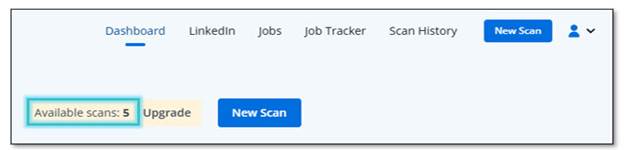
Premium features include:
- ATS-friendly resume and cover letter guidance
- Unlimited resume and cover letter scans
- Automatic phrase suggestions
- LinkedIn optimization and tracking
- eBooks and resume templates

Use Job Scan to Land Jobs Faster

1. Click on Create an account.

2. Type in your email and password. Then, select Create Account.

3. Click on New Scan.
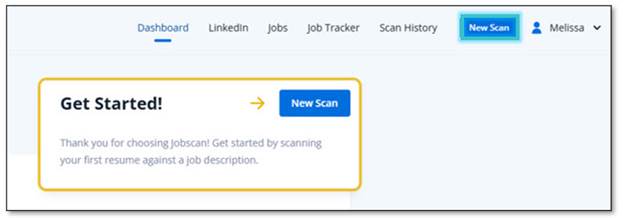
4. Click on Drag & Drop or Upload and select your resume.

Note: You can also copy and paste your resume in the Resume box provided.
5. Copy and paste your job description in the Job Description box. Then, click Scan.

Note: Look at your score. If you score is under 75%, you need to keep making updates.
6. Go to Report.
The report will provide input for the following 5 categories:
- Searchability
- Hard Skills
- Soft Skills
- Recruiter Tips
- Formatting
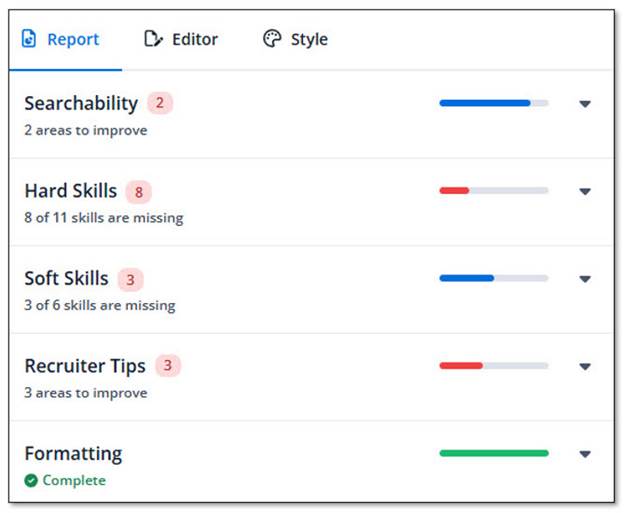
Note: The number beside each category determines the number of updates needed per Job Scan.
7. Select the drop-down menu for each category.
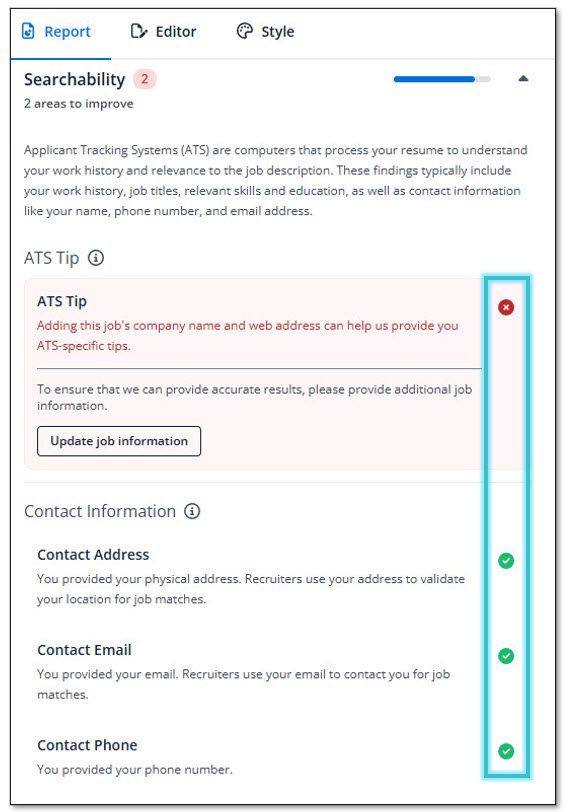
Note: A green checkmark means the information is complete. A red X means information is missing.
8. Read the tip provided and update the information as needed. Then, click Update Details.
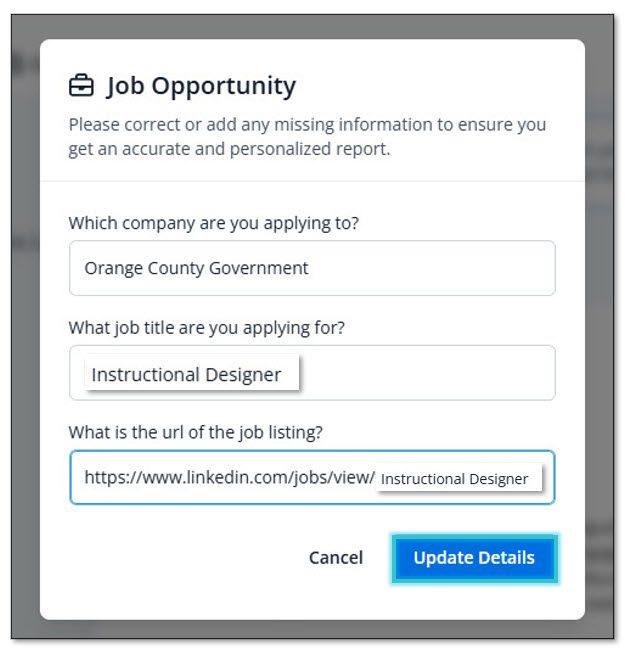
9. Select another category and go to Skills Comparison to view the exact skills missing in your resume.

Note: Select the Highlighted Skills to view the skills missing on the resume highlighted in the job description. Update your resume per your experience.
10. Scan the updated resume to view your new score when you finish making the necessary changes to each category.
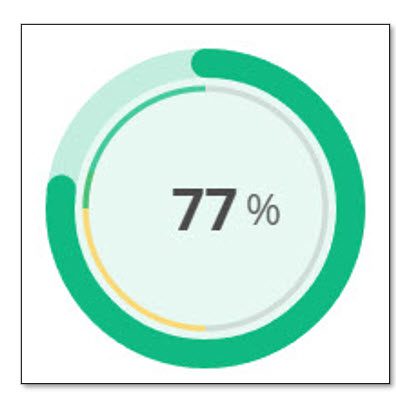
See the side-by-side comparison of your resume and the job description. Remember the following:
- If the highlighted skill is green, it means that you are good to go.
- If the highlighted word is yellow, it means that you have the skill written in a different way.
If the skill is highlighted red, it means that the skill is missing.
11. Go to Jobs and search for positions using your updated resume.
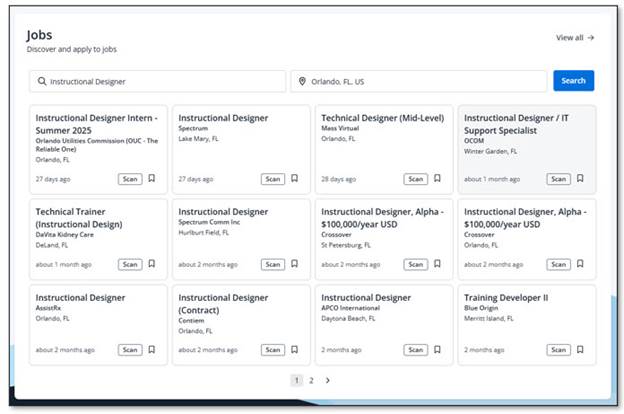
12. Select the position you want to apply for. Then, click on Apply.
Note: Before applying, check if the position is still available or accepting applications. You can also use your updated resume to apply for jobs on company websites or on the job board sites.
Final Thoughts
Many job seekers hire resume writers or job coaches, but not every working mom can afford to use those services. If that is your case, I highly recommend using Jobscan to help optimize your resume.
Using Jobscan does not guarantee that you will get all the interviews you want, but it will give you higher chances of landing interviews and help you land jobs faster.
Let’s begin or continue the job search process with hope and determination.
Best wishes,
Meli